How to Use Live Street View on iPhone (2026 Guide)
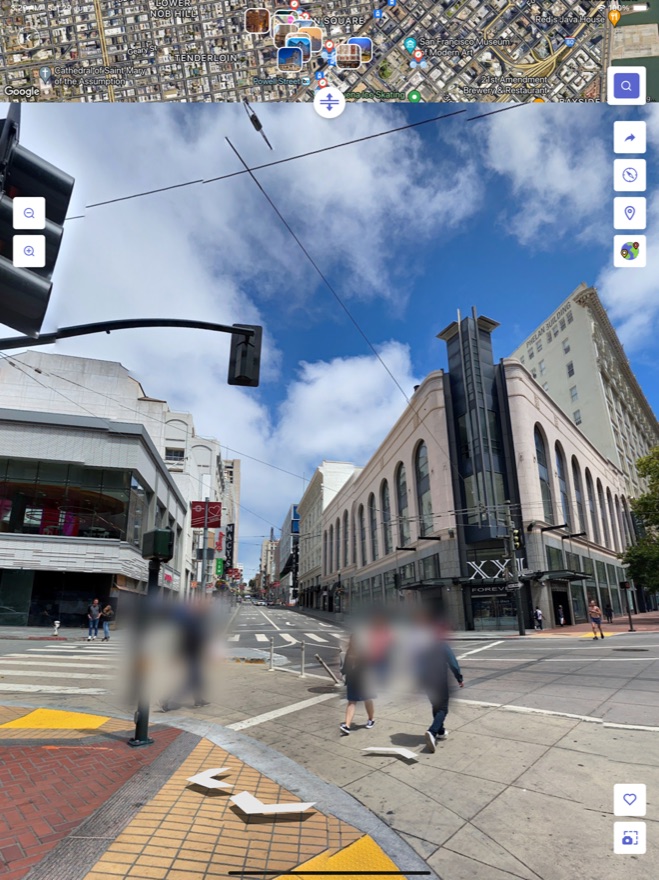
Street view turns your iPhone into a teleporter for your eyes: stand on a street in Paris, peek down an alley in Marrakech, or revisit your childhood home — all without leaving the couch. Here's exactly how to do it in 2026.
What you'll need
Just an iPhone (or iPad) running iOS 16 or later, an internet connection, and the free MAPAS app. That's it — no account required to start.

Step-by-step: walking any street in the world
- Download MAPAS. Grab it free from the App Store and open it.
- Search a place. Type any city, address or landmark in the search bar — or simply tap anywhere on the map to drop a pin.
- Tap Street View. When street-level imagery is available, tap the Street View button to drop down to the ground.
- Look around. Drag your finger to pan a full 360°, pinch to zoom in on details, and swipe forward to move along the street.
- Save it. Found somewhere you love? Tap the star to add it to your Favorites and jump right back later.
Pro tip: combine Street View with Country Walk
MAPAS also has a Country Walk mode that strings street-level views together into a virtual walking tour through an entire country. It's perfect for trip planning — or for an evening of armchair travel.
Street View vs. 3D maps vs. live cameras — what's the difference?
- Street View puts you at ground level for a 360° look around a fixed spot.
- 3D satellite maps let you fly above and around cities and terrain.
- Live cameras show a place exactly as it looks right now, in real time.
The magic of MAPAS is that all three live in one app, so you can switch between them seamlessly while exploring a single destination.
Common questions
Is street view free?
Yes. Street view, 3D maps and the GPS toolkit are free in MAPAS. Premium unlocks unlimited live cameras, HD quality and an ad-free experience.
Does it work everywhere?
Street-level imagery is available for most cities and major roads worldwide. Remote areas may have limited or no coverage.
Walk the world from your phone
Street view, 3D Earth and live cameras — all in one free app.
Download on theApp Store